Fieldstub › T&M tickets
T&M tickets, and how extra work actually gets billed
A T&M ticket, time and materials, is the record of work that was not in the contract: what happened, who directed it, the labor, equipment and materials it took, signed by somebody with authority on the day it happened. Its whole job is to make extra work billable later.
This page is the map. What the document is, what it has to carry to survive an argument, and every route from a signed ticket to money in a change order, with or without software.
One document, several names#
The industry has never settled on a word for this piece of paper. Depending on the region and the contract you will hear:
- T&M ticket or time and materials ticket, the most common name in the US
- Extra work order or extra work ticket, common on the office side of the same job
- Extra work authorization, when the form leads with the approval rather than the record
- Force account, the term on US public works and DOT jobs, where the owner directs the work and the record requirements are stricter
- Dayworks sheet, the same document in the UK, Australia and New Zealand
They are one object. A dated record of directed, out-of-contract work, priced from time and materials, signed in the field.
What one has to carry#
Most of the form is bookkeeping: project, date, trade, hours, quantities. Four fields are the argument, and they are the ones most often left blank:
- Directed by, with a name and a title. Extra work is only extra if somebody with authority asked for it.
- How it was directed. Verbal, email, RFI, bulletin. One word, and six months later it is the paper trail.
- Why it is not in the contract. Not what the crew did, but why it was not already someone's job.
- Signed on site, the same day. A signature collected later is a signature from somebody who was not there.
The template page has the full form, field by field, free and with nothing to sign up for, and the longer version of why those four fields decide whether the ticket holds.
Where tickets die#
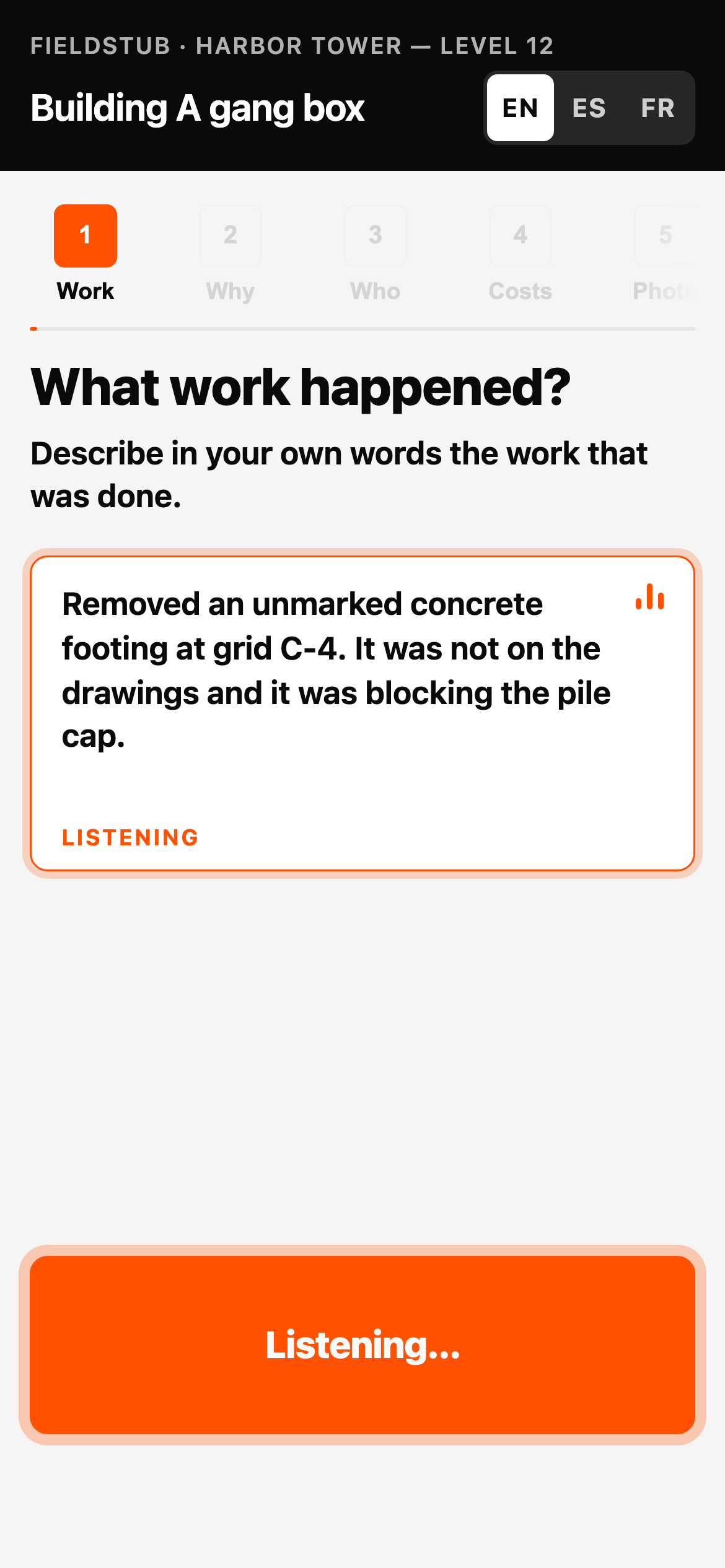
Rarely in the argument. Usually in the logistics. The ticket gets filled in and signed, and then it stays in the truck, or in a photo on a foreman's phone, and never makes it to whoever prices change orders. The work was real, the record was real, and it never became a line in the budget.
That is worth saying plainly because it changes what to fix. A better form does not help a form that never arrives. The fixes that matter are the ones that shorten the distance between the signature and the person who bills.
From ticket to money, in Procore#
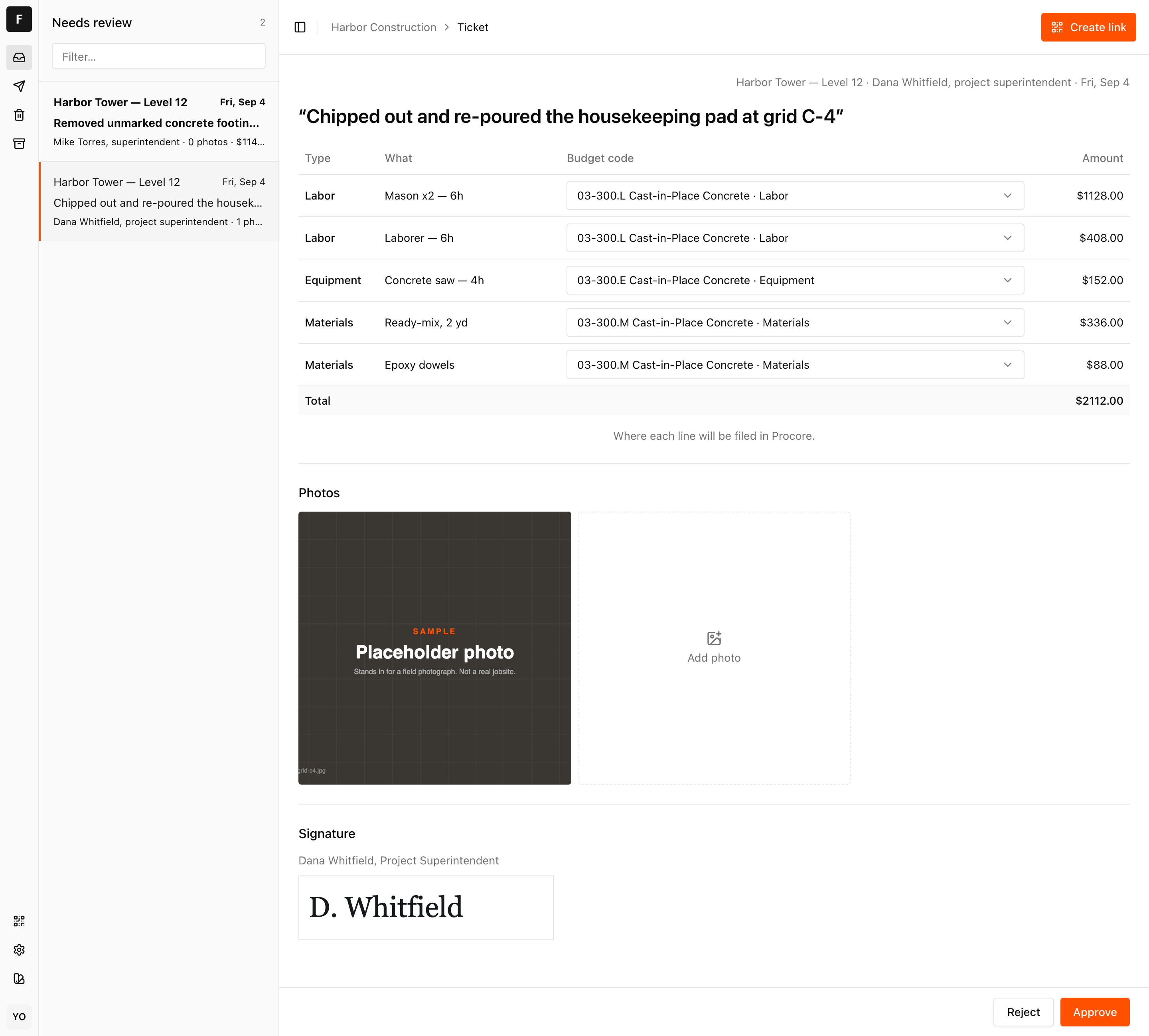
On a Procore job the destination is a Change Event: line items on real budget codes, ready to price into a change order. There are four ways to get a ticket there, and only one of them is us:
- Procore's own T&M Tickets tool, if the person capturing the work has a Procore seat and the mobile app
- Somebody in the office retypes the paper ticket as a change event
- An integration that captures in the field and writes the change event, which is what Fieldstub does
- Paper, scanned and attached to a daily log, which is technically in Procore and financially nowhere
The honest comparison of all four, including the two that do not involve us, is at how to get T&M tickets into Procore.
Two constraints worth knowing before you pick a path. Change Events lives inside Project Financials, and without that module the best available destination is the daily log, which records the work but bills nothing. And if the people doing your extra work are subcontractors without Procore, this page is about what actually works.
Start here#
- The T&M ticket template. The whole form, free, no signup.
- How to get T&M tickets into Procore. Four options compared.
- Extra work when the sub has no Procore. What works and what the GC sets up.
- Extra work without Project Financials. What a daily log can and cannot hold.
- Fieldstub. The ticket above, captured on a phone with no app and no login, landing in Procore as a change event. Prices are published.
Questions
What does T&M stand for?
Time and materials. The ticket records the time (labor and equipment hours) and materials an unplanned piece of work took, so it can be priced and billed from the record rather than from memory.
Is a T&M ticket the same as a change order?
No. The ticket is the field record; the change order is the contract change it gets priced into. A signed ticket is the evidence a change order is built from. Work that is on a ticket but never priced into a change order is work you did for free.
Who should sign a T&M ticket?
Somebody with the authority to direct the work, usually the general contractor's superintendent or the owner's representative, on site, the same day. The signature turns the sheet from an assertion into evidence.
Do you need software for T&M tickets?
No. A paper template works, and ours is free. The part software fixes is not the form, it is the distance: the pad stays in the truck, and the record never reaches whoever prices change orders. If your tickets already arrive, you do not have the problem.
Put a code on one job and see what comes back.
Fieldstub turns a phone and a QR code into a signed Change Event in Procore. The field needs no login and no seat.
Start free